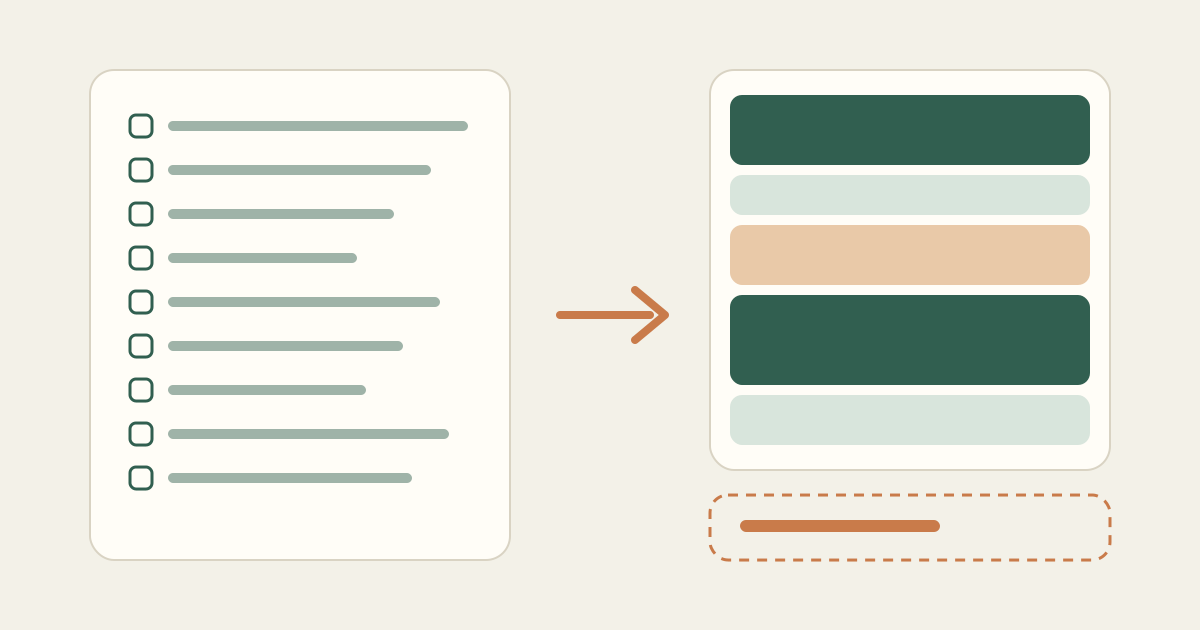
A long to-do list feels like a plan, but it is really an inventory. It tells you what exists, not what you will do today, in what order, or whether any of it fits between the meetings, pickups, and appointments that are already on your calendar.
This guide walks through a simple way to plan a day when you clearly have more to do than time to do it. It takes about ten minutes, works on paper or in an app, and leaves you with a schedule you can follow and a short list of things you have consciously decided to move.
Start with the time you actually have
Before you look at your tasks, look at your day. Write down when you realistically start and stop working. Not your ideal hours, the real ones. If you usually open your laptop at 8:45 and need to leave by 5:15 for school pickup, those are your edges.
Next, block out everything that cannot move: meetings, classes, appointments, a standing call, lunch if you actually take it, and travel time between places. These are fixed commitments. Whatever is left between them is the time available for your flexible tasks.
Most people are surprised by this number. An eight-hour day with three meetings, a lunch break, and a commute between two locations can easily leave four hours of usable time, often in uneven pieces.
Give every task a rough duration
A task without a time estimate cannot be planned, only hoped for. Go down your list and write a duration next to each item. Round up. If you think something takes 20 minutes, write 30. If you have no idea, write 60 and treat it as a placeholder.
Break vague items into something you can start. "Q3 report" is not a task; "draft the summary section of the Q3 report, 45 minutes" is. Large projects become one or two concrete sessions for today, not the whole project.
- Reply to the three client emails flagged yesterday, 30 min
- Draft the summary section of the Q3 report, 60 min
- Review the contractor invoice, 15 min
- Prepare slides for Thursday, 90 min
- Book a dentist appointment, 10 min
- Clean up the shared drive folder, 45 min
Add those up. In this example it is 4 hours and 10 minutes, before any breaks. Compare that with the time you found in the first step.
Decide what matters today, not in general
Now sort by consequence, not by how important the task feels. Ask two questions of each item: does it have a deadline today or tomorrow, and does someone else wait on it? Tasks that answer yes to either go to the top.
Then look for dependencies. If the slides depend on numbers from the report, the report has to come first, even if the slides feel more urgent. Getting the order right prevents the afternoon scramble where you discover you are blocked.
Mark three levels: high priority for anything with a real deadline or a person waiting, medium for useful work that can slip a day, and low for things that would be nice to finish. Be honest. If everything is high priority, nothing is.
Place tasks into the open gaps
Put your high-priority, high-focus work into the longest open stretch of the day, ideally when your energy is best. Put short tasks into short gaps, like the 25 minutes between two calls. Leave a few minutes of breathing room after meetings; they rarely end exactly on time.
| Time | Block |
|---|---|
| 8:45 AM – 9:00 AM | Settle in, review the plan |
| 9:00 AM – 10:00 AM | Draft Q3 report summary (high priority) |
| 10:00 AM – 10:10 AM | Break |
| 10:10 AM – 10:40 AM | Reply to client emails (high priority) |
| 10:45 AM – 11:30 AM | Team meeting (fixed commitment) |
| 11:30 AM – 11:45 AM | Review contractor invoice |
| 12:00 PM – 12:45 PM | Lunch |
| 1:00 PM – 2:00 PM | Client call (fixed commitment) |
| 2:10 PM – 3:40 PM | Prepare Thursday slides (depends on report) |
| 3:40 PM – 3:50 PM | Book dentist appointment |
| 4:00 PM – 5:00 PM | Project check-in (fixed commitment) |
The shared drive cleanup did not fit. That is fine. It moves to Wednesday on purpose.
Move what does not fit, on purpose
There will almost always be leftovers. The difference between a stressful day and a manageable one is whether you decide that at 8:50 a.m. or discover it at 4:55 p.m.
For each task that did not fit, choose one of three moves: schedule it on a specific day, shrink it to a smaller version that fits, or drop it and tell anyone who was expecting it. Writing a specific date next to a postponed item stops it from silently following you around.
A ten-minute routine you can repeat
- Mark your start and end time for the day.
- Block every fixed commitment, including travel and lunch.
- Write a duration next to each task and round up.
- Label priorities and note any task that depends on another.
- Place high-priority work in the longest open stretch.
- Fill short gaps with short tasks and leave buffers after meetings.
- Move leftovers to a specific day before you start working.
You can do this on a printed sheet or in any calendar. If you would rather not do the arithmetic yourself, Kitora Daily follows the same steps: you enter your fixed commitments and tasks, and it builds a schedule around your active hours and shows you clearly which tasks could not fit and why.