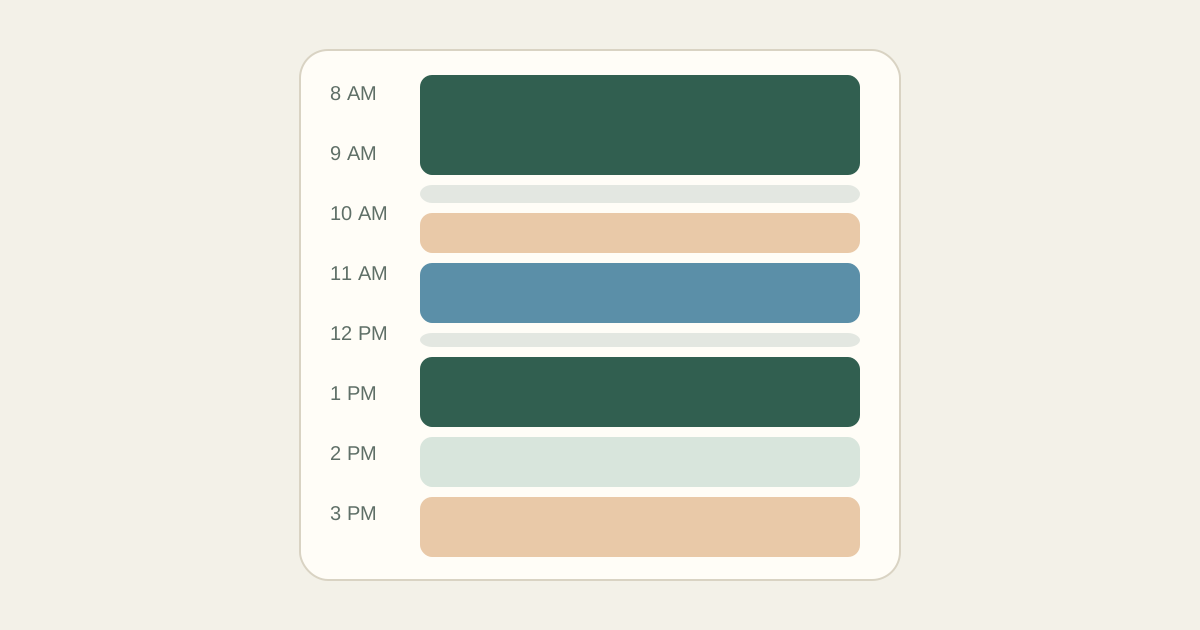
Time blocking means giving each piece of work a specific slot on your calendar instead of keeping it on a list. Rather than "write proposal" floating around all week, you decide it happens Wednesday from 9:00 to 10:30.
The idea is simple. The trouble is that many first attempts look perfect at 8 a.m. and fall apart by 11. This guide focuses on the habits that make a time-blocked schedule realistic enough to follow.
Why time blocking helps
A list does not show cost. Ten items look the same whether they take an hour or two days. Blocking forces each task to claim real minutes, which makes overcommitment visible before it happens.
It also removes small decisions. When a block ends, you already know what comes next, so you spend less time choosing and more time doing.
Choose a block length that fits your work
There is no correct length. Writing, coding, design, and study usually benefit from 50 to 90 minutes of uninterrupted time. Administrative work fits well in 25 to 30 minute blocks. Start with one standard focus length and one standard short length so your day is easy to build.
- Deep work: 50 to 90 minutes, once or twice a day
- Shallow work (email, admin, quick reviews): 25 to 30 minutes
- Breaks: 5 to 15 minutes between focus blocks
- Buffers: 5 to 10 minutes after meetings or travel
If a task is longer than your focus block, split it into sessions. Two 60-minute sessions with a break between them are easier to protect than one three-hour block.
Build your first time-blocked day
- Set your active hours: the window in which you will actually work today.
- Place fixed commitments first, including travel to and from them.
- Mark your best focus window, often the first few hours of the morning.
- Put your single most important task into that window.
- Group small tasks into one or two admin blocks rather than scattering them.
- Add a short break after each focus block and a buffer after each meeting.
- Leave at least 30 minutes unassigned for things you cannot predict.
| Time | Block |
|---|---|
| 8:30 AM – 10:00 AM | Client A: homepage copy draft (focus) |
| 10:00 AM – 10:15 AM | Break |
| 10:15 AM – 10:45 AM | Email and invoicing (admin) |
| 11:00 AM – 11:30 AM | Client B check-in call (fixed commitment) |
| 11:30 AM – 11:40 AM | Buffer, notes from call |
| 11:40 AM – 12:40 PM | Client B: revisions round 2 (focus) |
| 12:40 PM – 1:30 PM | Lunch |
| 1:30 PM – 2:30 PM | Client A: copy edits (focus) |
| 2:30 PM – 3:00 PM | Open time for overflow |
| 3:00 PM – 3:30 PM | Plan tomorrow, send updates |
The open block at 2:30 p.m. absorbs the call that ran long or the revision that took longer than expected.
Common beginner mistakes
Filling every minute. A day with no slack breaks the moment anything runs late. Unscheduled time is not wasted; it is what keeps the rest of the plan intact.
Underestimating tasks. Most people guess low. Track a few tasks for a week and compare estimates with reality, then adjust your defaults.
Ignoring transitions. Moving from a meeting to focused writing takes a few minutes. Getting across town takes longer than the map says. Put that time on the calendar.
Treating the plan as a contract. A time-blocked schedule is a best guess made in the morning. When the day changes, you replan the remaining hours instead of abandoning the whole thing.
Making it stick
Plan the next day before you finish the current one, or first thing in the morning before email. Keep it short; ten minutes is enough. At the end of the week, look at which blocks you kept and which you moved, and adjust your standard lengths.
Kitora Daily is built around these same rules. You set your active hours, focus session length, and breaks once, add your fixed commitments and tasks, and it arranges a time-blocked day for you. You can then move blocks by hand, lock the ones you want to keep, and print the result or save it as an image for your phone.